
In this article
You bought the case, filled the sink at home, dunked it for ten minutes, and it came out bone dry. Then somewhere in the middle of a Class III wave train the boat goes over, and by the time you’re back on the raft your phone is sitting in an inch of river water inside a case that never technically failed. That gap between the bathtub test and the take-out is the most consistent complaint in river-runner forums, and the reason for it is buried in a testing standard almost nobody reads. Good rafting electronics decisions start there, with what a rating actually promises, rather than with a spec sheet. Below: the six categories that matter on the water, an honest pick in each, and a short list of gear that’s better off staying in the truck.
Why a Waterproof Rating Doesn’t Survive a Real Flip
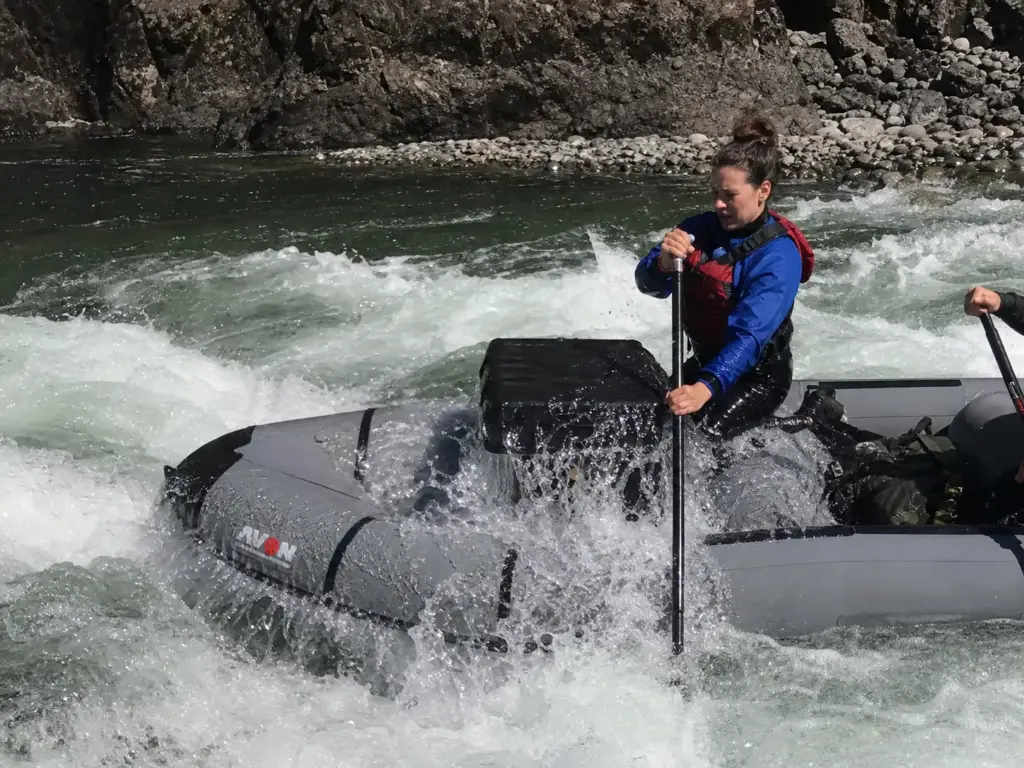
An IP68 or IPX8 rating is a real test with a real result. It just isn’t the test you think it is. Certification happens in static water: the sealed device goes into a tank at a fixed depth, sits there for a fixed time, and comes out. No current, no turbulence, no tumbling. That’s the whole procedure, and every number printed on a phone case box traces back to some version of it.
Now put that same case in a flip. Water isn’t sitting against the seal at a constant pressure. It’s being driven past it by a boat rolling over, a swimmer tumbling through current, and, worst of all, the recirculating churn of a hydraulic. If you’re newer to the vocabulary, a hydraulic isn’t just deep water: it’s water folding back on itself with force, and the pressure spike it puts on a seam is a mechanical event the lab never simulated. A seal that comfortably holds back a tank of still water can lose to a shallow but violent surge arriving fast from an angle the gasket wasn’t designed to resist. Independent dunk-testing from Consumer Reports has repeatedly found that real-world results diverge from the marketing claim, which is what you’d expect once you know how the number is earned.
There’s a second limit most buyers never see. Manufacturers generally cap safe submersion at roughly one hour at the rated depth before touchscreen response and seal integrity get unreliable. That’s a ceiling measured in a lab, not a promise about a six-hour float. A case that spends the whole day getting splashed, drying in the sun, getting splashed again, and then going under during a swim has lived a harder life than anything the certification covers.
The mistake that repeats in boating threads isn’t buying a bad case. It’s reading IP68 as trip-proof when it means lab-tested. The home bathtub test passes because the bathtub is the test. Day one on the river is a different question entirely.
So here’s the criterion the rest of this article runs on: buy for the pressure event, not the depth number. A pouch that floats, uses a wide roll-top closure or a clamp seal, and stays shut under a rolling load will serve you better than a slimmer case with a bigger number on the box. Depth ratings sort products. Failure modes sort trips.
Two smaller failures deserve a mention because they’re the ones that ruin photos rather than phones. Condensation forms inside a sealed case when warm air gets trapped at the put-in and the river cools the outside, and a fogged camera window makes a perfectly dry phone useless for taking photos. Toss a desiccant packet in with the phone, seal the case in the shade rather than in the sun, and the problem largely disappears. The other is a slow dry bag leak at a worn seam, which is why the case matters even inside a bag.
Test a new case with a folded paper towel inside instead of your phone, and leave it submerged in the sink overnight rather than for ten minutes. A slow seep shows up on paper long before it shows up as a dead phone, and overnight catches the seals that pass a short dunk and fail a long one.
Best Waterproof Phone Cases and Pouches for Rafting
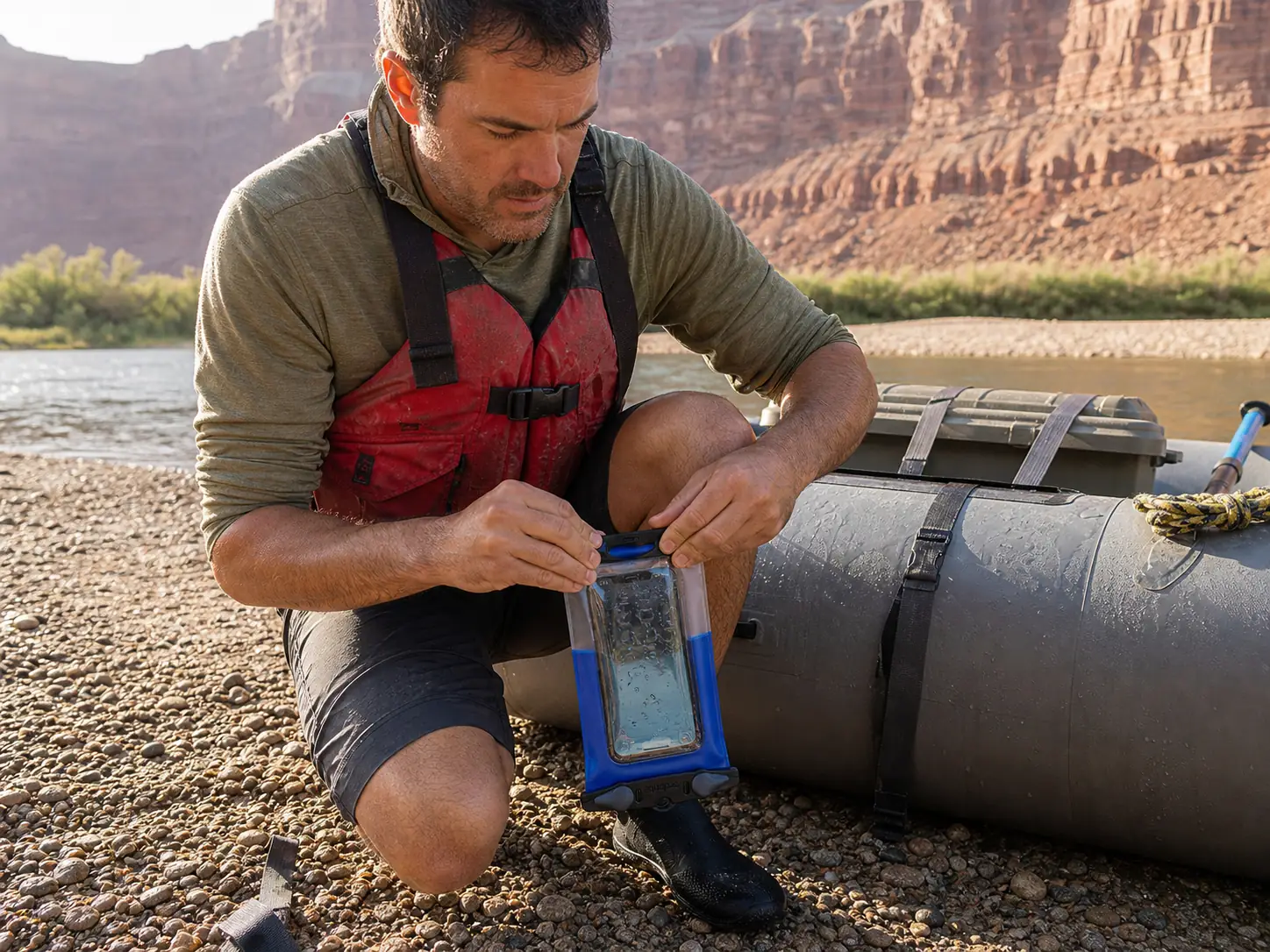
Almost everyone’s first river electronics purchase is a phone pouch, and almost everyone buys the cheapest one with four stars. The category actually splits three ways, and each branch is the correct answer for a different kind of trip: a dedicated brand case with a real warranty, a floating pouch built for boat use, and a cheap multipack you treat as consumable. Read the tiers by trip rather than by budget, because the premium pick is the right call on a five-day canyon run and overkill on a Saturday float, while the budget pick is genuinely enough for the second scenario.
The Category Anchor — Aquapac
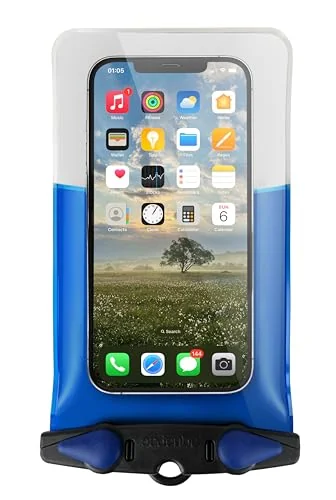
Read the warranty as a manufacturing statement rather than a customer-service perk. A company willing to stand behind a seal for five years is telling you what it expects that seal to do over hundreds of open-close cycles, which is the actual failure point on a case that gets used. Depth ratings describe one moment. A warranty describes a lifespan.
Where the Aquapac earns its price is on trips where losing the phone costs you more than the phone: multi-day canyon runs where it’s also your map, your camera, and your only clock. On a Saturday float with a shuttle and a parking lot, it’s more case than the day requires. That’s not a knock. It’s the tier working as intended.
Floating Pouches Worth the Money
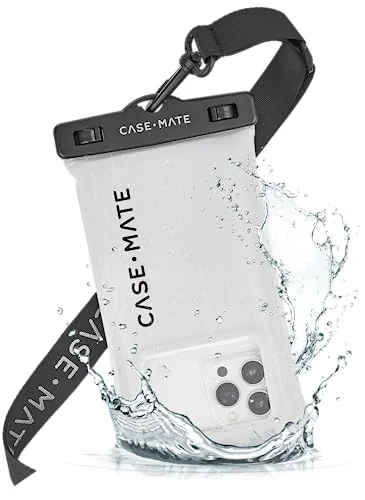
Floating is worth more than depth on a raft, and it isn’t close. A case rated to thirty feet that sinks is gone the moment it leaves your hand, and the rating stops mattering at the instant it hits the water. A case rated to ten feet that floats is a case you can chase down in the eddy below. Plenty of high-rated cases sink like a rock with a phone inside, so check for a stated floating claim rather than assuming buoyancy comes with the category.
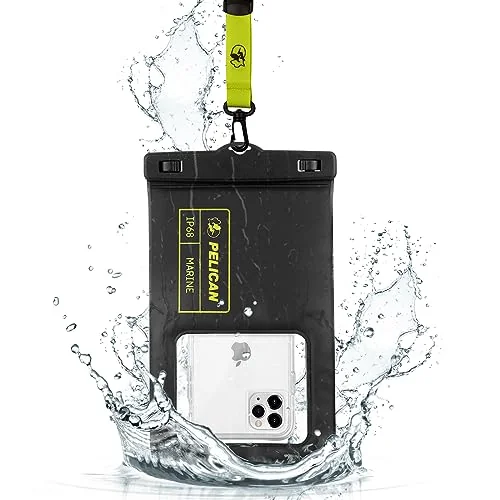
If you already run Pelican hard cases for cameras or first aid, the pouch keeps your closure habits consistent, which matters more than it sounds. Gear you close the same way every time is gear you close correctly when you’re cold and rushed at the top of a rapid.
The Budget Multipack Play
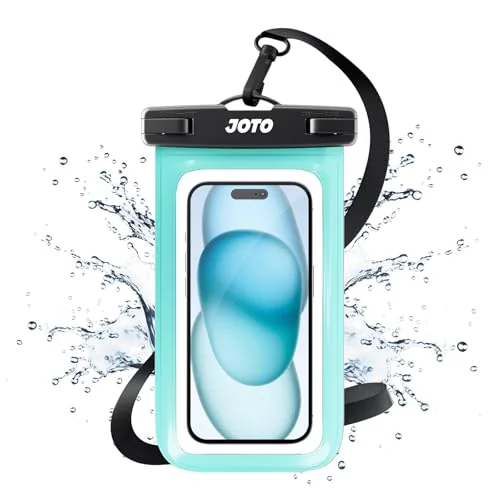
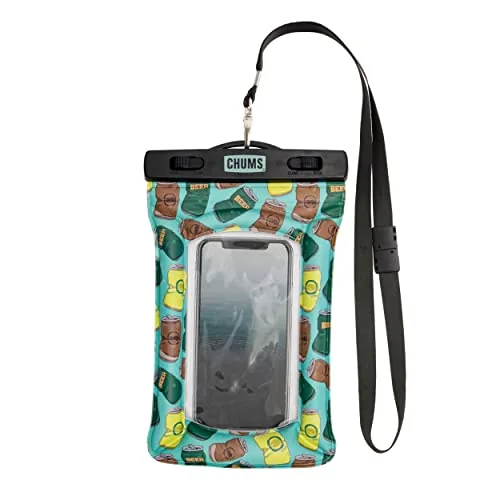
The multipack strategy is genuinely how a lot of experienced private boaters handle this. Buy two cheap cases, keep one permanently clipped in each boat, and stop treating them as precious. A case that lives in the raft is a case that’s actually there when someone’s phone needs to go away in a hurry, and replacing one every couple of seasons costs less than a single premium case.
One more layer worth building in: the case handles the swim, and the dry bag your pouch lives inside handles the six hours of splash between rapids. Redundancy in waterproofing works the way it does in rescue. Two independent systems, neither one trusted alone.
How to Carry a Phone on the River Without Losing It
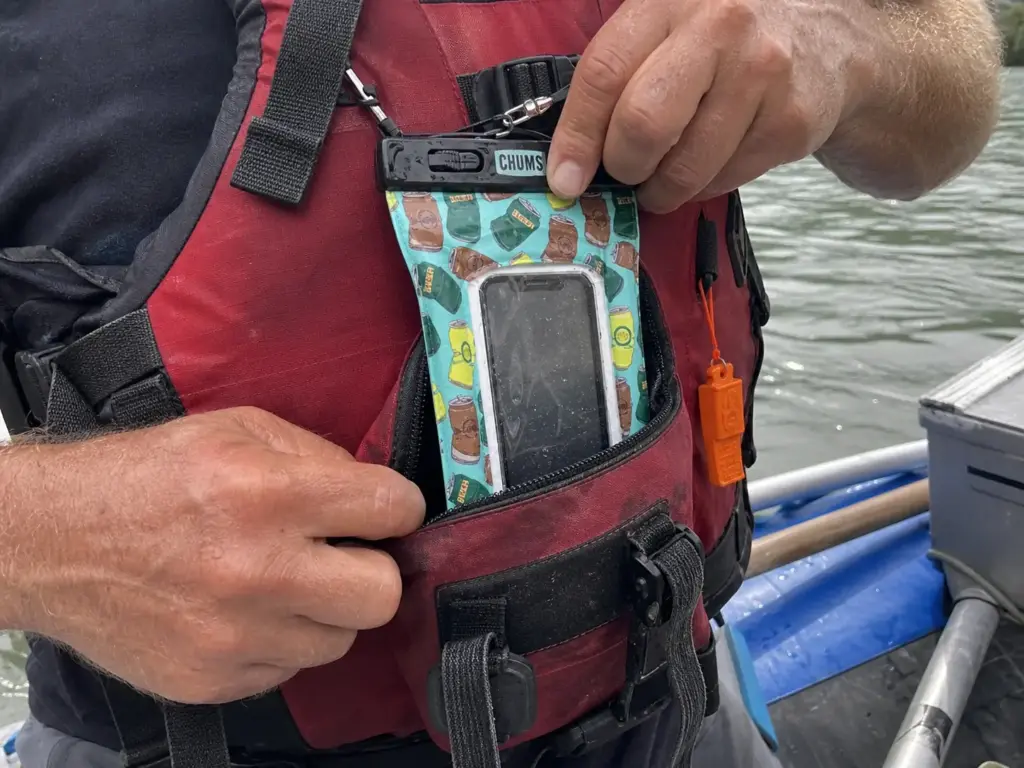
The gear decision is the easy half. The half that actually loses phones, and occasionally puts people in a genuinely bad spot, is where you clip it and what you do when it goes over the side.
Start with the rule that isn’t a preference: never wear a phone pouch on a neck lanyard while you’re actively on the water. OARS states it plainly in their guidance, and the private-boater community on Mountain Buzz arrives at the same conclusion independently, which is about as close to consensus as river gear advice gets. A cord around your neck in moving water is an entrapment problem. It can catch on a thwart, a frame, a branch in a strainer, or another paddler’s gear at the exact moment you need to be free to swim. The convenience of having your phone right there is real. It is not worth that trade, and the fact that the lanyard came in the box is not an endorsement of wearing it in a rapid.
The working alternative is tethered and stowed. Run a short leash from the case to a fixed point, then put the case inside something that closes: a PFD with a real front pocket is ideal, and a zipped thwart bag is a close second. Reachable, attached, and not dangling. The tether should be short enough that the case can’t swing free and long enough that you can bring the phone to your face without unclipping it.
Use the right hardware at the attachment point. A small locking carabiner or a plastic clip is fine for a phone case, and it is deliberately not a rescue carabiner from your kit. Keeping accessory hardware visually distinct from rescue hardware means nobody grabs the wrong one at the wrong moment, which is a habit worth building early even on mellow water.
Timing solves most of the rest. Shoot in the flat water between rapids and put the phone away before the horizon line, because the good photo of the rapid is almost never worth the hand that wasn’t on the paddle. The temptation to grab one more frame as the boat drops in is the most common precursor to both a lost phone and a bad line, and it’s entirely avoidable by making the decision at the top rather than in the moment.
Then there’s the decision nobody wants to rehearse and everyone should. A camera slides off the dry box mid-rapid. Your hand goes after it before your brain gets a vote. That reflex is where a gear problem turns into a swim problem, and swims that start with someone lunging across a tube tend to be the awkward kind. Decide now, on dry land, that the gadget goes. It’s insured, replaceable, or simply gone, and none of those outcomes require anything from you in the middle of a rapid. If a swim does happen, you want the group’s attention on someone on the bank with a throw bag, not on the camera bobbing downstream.
Run a one phone per group policy and make everyone else stow theirs, powered off. One person shoots, one person’s battery drains, and one device is exposed to the water instead of five. It also ends the thing where four people reach for cameras at the same horizon line and nobody is paddling.
Best Action Cameras for Whitewater
Half the people asking this question already own a phone that shoots perfectly good video. So the honest first question isn’t which waterproof camera to buy. It’s whether the footage will ever leave the memory card. If the answer is no, the pouch from the last section is your entire camera system and you can skip this purchase without missing anything.
What Native Waterproofing Actually Covers
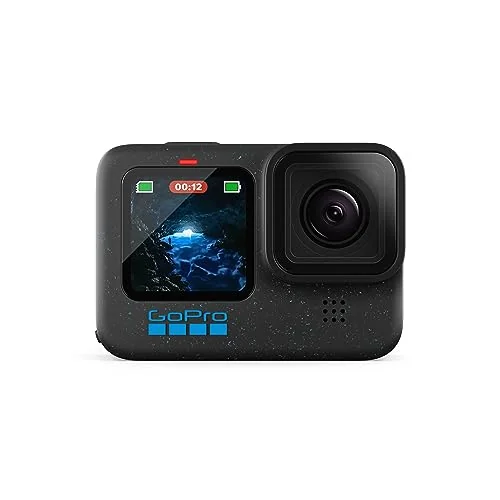
Here’s the accessory nobody needs and half the buying guides recommend anyway: the dive housing. The HERO12 is sealed to 33 feet on its own, and the compact Hero models handle 16 feet. A rafting swim puts a camera under for seconds at a depth measured in feet, not tens of feet. Unless you’re intentionally diving with it, the housing adds bulk, muffles audio, and fogs up, in exchange for protecting against a depth you will never reach. Skip it and put the money toward a second battery.
For a first camera, the GoPro Hero Compact Waterproof Action Camera Bundle removes the friction that catches most beginners, since it arrives with a 128GB card and a mount kit instead of requiring two more orders after the camera shows up. Sixteen feet of waterproofing and 4K video is plenty for river work, and spending less on the camera itself means caring less when it goes swimming.
Where to Mount It (and Where Not To)
Mount position determines whether the footage is watchable far more than the sensor does. A chest mount on a paddler sits low, catches the bow rising into waves, and shows the line the boat actually took. That’s the angle that reads as rafting to someone who wasn’t there.
A helmet mount is the classic mistake. It points wherever your head points, which in a rapid is up, sideways, and at the person high-siding next to you. You get thirty seconds of sky and a lot of very stable footage of nothing. If you want the helmet angle anyway, tilt the mount down more than feels right on dry land, because your head comes up as soon as the boat drops in.
The other placement worth planning is a frame or thwart mount pointed back at the crew. Fixed to the boat means it captures the whole raft including you, it can’t be dropped, and it doesn’t need anyone to remember to hit record at the top of the rapid. Whatever you mount, tether it. The adhesive and the clamp are both fine until the day one of them isn’t.
Navigation — When a River App Is Enough and When It Isn’t
American Whitewater’s Safety Code lists navigation tools among its core recommendations, which reframes this whole category. Knowing where you are on the river is safety equipment, not convenience. That said, the tool that satisfies it is usually already in your pocket.
Offline Maps Before You Lose Bars
Cell service disappears at the put-in on most canyon runs and doesn’t return until the take-out. Any map that lives in the cloud is therefore useless from the moment you push off, which is exactly when you’d want it. Download the maps at home, on wifi, the night before, and then verify them in airplane mode before you leave the house. Toggling airplane mode on and actually opening the map is a ten-second check that catches the tiles that didn’t finish downloading.
A free or low-cost river map app handles the majority of day and weekend trips outright. Avenza reads georeferenced PDF maps, which is how a lot of agency river maps are distributed. Gaia GPS handles terrain and route tracking. onWater focuses on river-specific access points and flows. None of these needs an affiliate link, and that’s rather the point: the correct answer for most readers costs nothing.
When a Handheld GPS Actually Earns Its Weight
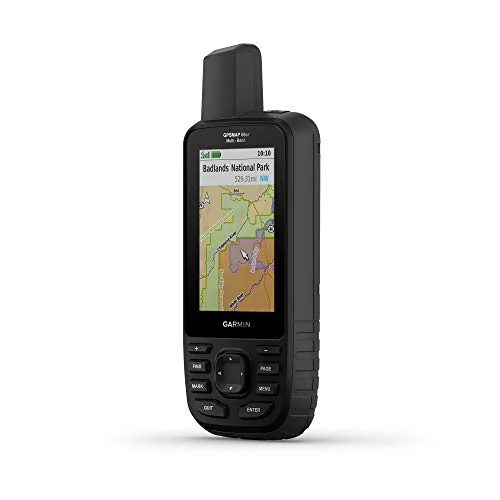
A dedicated handheld earns its place in one scenario: remote multi-day canyon runs where the phone is your only navigation tool and shouldn’t be. When you’re planning a multi-day trip four days from a road, having a second device with its own battery and its own maps stops being redundant and starts being the plan.
Run a handheld in expedition mode and check it at camp, not continuously. Standard GPS mode gets you around 180 hours; expedition mode stretches to roughly 840. That’s the difference between packing one set of batteries for a week and packing three, and on a river trip you almost never need a live track anyway.
And the anti-sell, because it applies to most readers: if you’re running a day section with a shuttle and a road within earshot, a handheld GPS is money that belongs in a drysuit instead. Cold water hurts you on a timeline that navigation errors don’t.
Power, Charging, and What a Solar Panel Really Does
Solar power banks sell a specific fantasy. Leave it on the dry box in the sun, paddle all day, come back to a full battery. What actually happens is a slow trickle that adds a modest fraction of a charge over a full day of direct exposure, assuming the panel stayed pointed at the sun, which on a moving raft it did not.
The honest framing: solar on a power bank is a top-off, not a charging source. Full-sun recovery on a 10,000mAh pack is measured in days, not hours. Buy for the battery capacity and charge it completely at home. Treat any solar contribution as a bonus that keeps a slow drain from becoming a dead pack on day five.
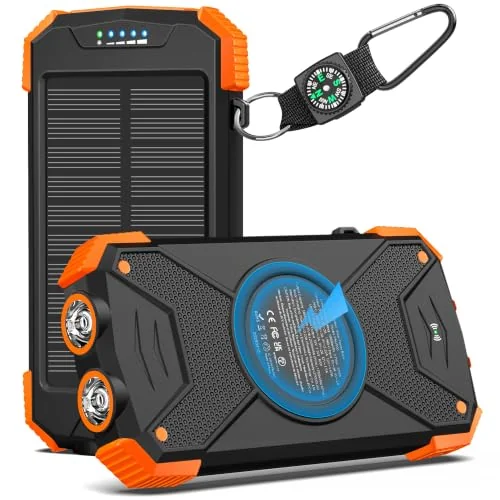
Size the pack to the camera, not the phone. A phone in airplane mode running downloaded maps sips power and can stretch several days on a single charge. An action camera recording clips all day is the actual load, and it’s the device that will empty a 10,000mAh pack faster than you expect once you factor in a second battery going in each evening.
Now the part almost nobody covers. Batteries lose usable capacity in cold, and river camps get cold in ways that surprise people who checked the daytime forecast. A pack that spent the night in a metal dry box in a canyon reads lower in the morning than its actual charge, because lithium cells deliver less current at low temperature and the fuel gauge reports what it can currently deliver. The practical consequence: a pack that reads alarmingly low at dawn often recovers a meaningful chunk of that reading by mid-morning once it warms, and if you make a rationing decision at first light you’ll make it on bad information. On cold-water trips specifically, sleep with the power bank and the spare camera batteries inside your sleeping bag. Your own warmth keeps them near their rated performance and costs you nothing but a lumpy night.
The same effect explains the phone that shuts down with charge still showing on a cold morning. It isn’t broken. It’s cold, and the voltage sagged below what the phone considers safe. Warm it inside a jacket for ten minutes before you write it off.
A Vittle Vault style pet food container is the cheap dry storage trick private boaters pass around for small electronics. Wide gasketed screw lid, tough plastic, costs a fraction of purpose-built river gear, and it floats. It is not a replacement for a hard dry box for the multi-day stuff, but for a power bank and a couple of batteries it works.
Airplane mode is still the highest-leverage power decision on any trip, and it costs nothing. A phone hunting for a tower it will never find burns battery all day for zero benefit. Turn it off at the put-in, leave it off, and the offline maps keep working exactly the same.
Communication — When You Actually Need a VHF Radio
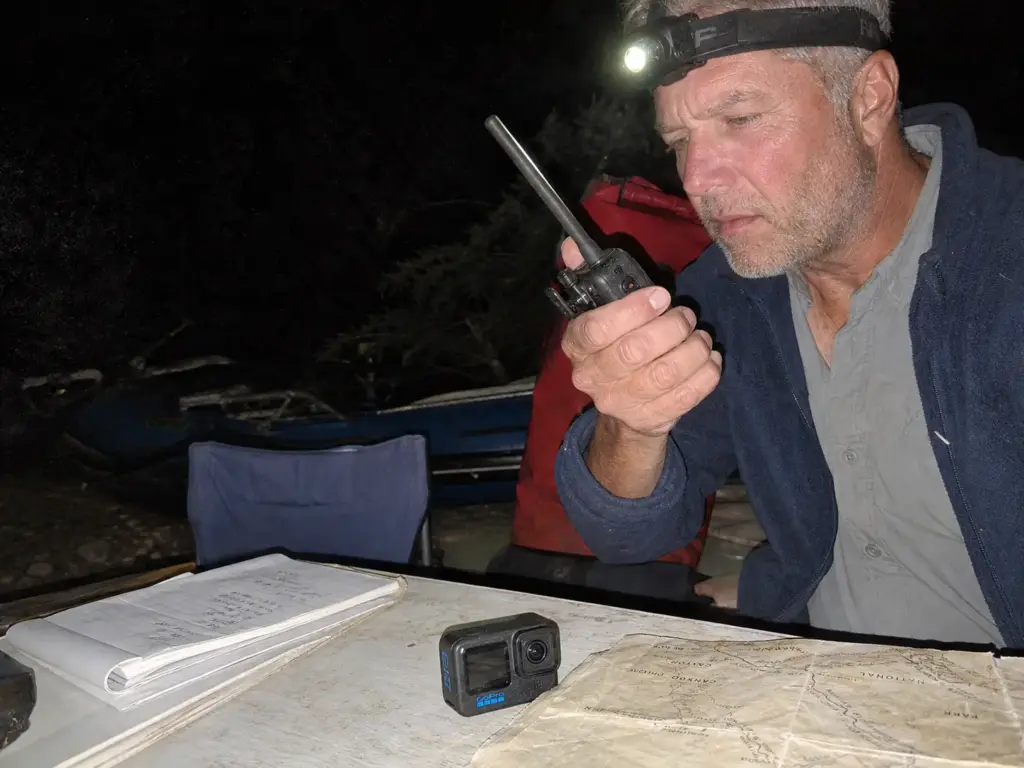
The phone in the pouch is a camera and a map on most rivers. The moment your group needs to reach another boat or coordinate anything across distance, it’s a brick with a nice screen. That’s the calculus this section is about, and it’s the one the rest of the internet skips entirely.
What a VHF Does That a Phone Can’t
A marine radio on VHF talks to other radios directly, without any infrastructure between them. There’s no tower, no account, no service area. Channel 16 is the international hail and distress channel, monitored around the clock by the Coast Guard in its jurisdictions, and the BoatUS Foundation’s guide to marine VHF covers the protocol well enough that there’s no excuse for carrying one without knowing how to use it. A phone with no bars reaches nobody. A radio with no bars reaches every radio within line of sight, which on open water is a meaningful number of people.
The honest trigger list is short. You need real comms when you’re running a multi-boat group on big water where boats get separated by more than a shout, when the section carries commercial traffic you need to coordinate with, or when the take-out is hours from the nearest road. Most day runs on most rivers clear none of those bars, and buying a radio for a Class II float with three friends in visual range is buying a solution to a problem you don’t have.
Satellite messengers sit at the other end of the same spectrum and solve a different failure. A VHF reaches across, to the people near you. A satellite messenger reaches out, to someone far away who can send help. American Whitewater lists both categories of emergency communication among recommended safety equipment, and the distinction matters when you’re choosing: if your worst realistic scenario is an injury four hours from a road, the messenger is the tool. If it’s two boats losing each other in a canyon, it’s the radio.
The Comms That Don’t Need Batteries
Every gadget roundup skips the two communication tools that work every single time. Hand signals and a whistle cost almost nothing, need no charge, survive a swim, and function in exactly the conditions where electronics quit.
Agree on hand signals at the put-in, out loud, with everyone present. Paddle held vertical means stop or eddy out. Paddle angled left or right means go that direction, and it points where you should go rather than where the hazard is, which is the convention that prevents the worst kind of misread. A tap on the head is the universal are-you-okay, answered with the same gesture. Five minutes of agreement before launch outperforms any radio, because everyone in the group is already looking at the boats around them.
The whistle is the other half. A whistle that carries over a rapid does something a voice cannot, because moving water is loud in the exact frequency range a shout occupies. One blast is attention, three is emergency, and it should live on your PFD where you can reach it without looking. Think of comms as living inside the rest of the rescue kit rather than in the electronics bag, because that’s how it gets used.
For most private boaters reading this, the buying order is genuinely whistle, then a written trip plan left with someone at home, then a satellite messenger if the trips justify it, and a VHF only if the group and the water demand it. That order will annoy anyone hoping for a radio recommendation. It’s still the right order.
What to Leave at the Put-In
Every gear roundup tells you what to buy. This is the conversation that happens at the take-out, when someone finally admits the Bluetooth speaker died on day two and nobody noticed.
The skip list is short and specific: laptops and Bluetooth speakers. A laptop on a river trip is a device you’ll spend five days protecting and zero days using, and the one scenario where you need it is a scenario where you should have brought paper. Speakers are a different problem. They’re the gear most likely to make you unpopular at a shared camp, and river canyons carry sound in ways that put your playlist in someone else’s campsite half a mile downstream.
Waterproof earbuds deserve their own paragraph because they’re the item people argue about. Even a well-rated pair like the JBL Endurance Peak 3 with its IP68 rating and long playback time is small, easy to lose over the side, and, more importantly, takes your hearing out of a boat where the guide’s voice and a whistle blast are the safety system. They exist and they work. This blog just isn’t going to tell you to bring them on the water. Camp, sure. In the raft, no.
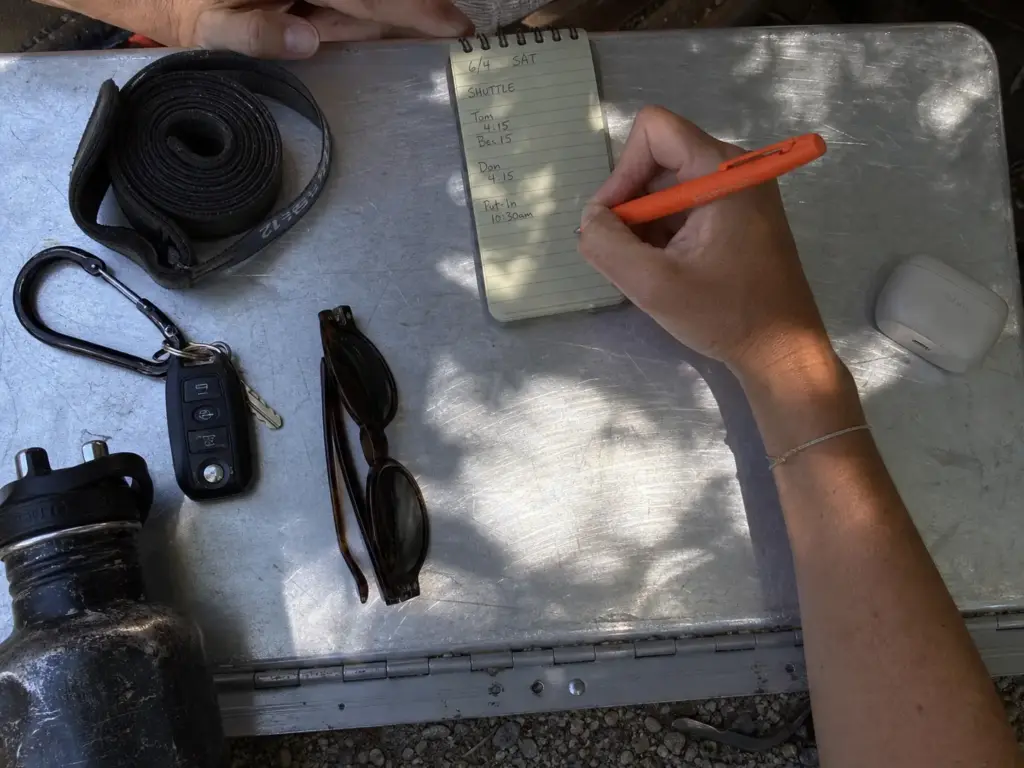
Now the things that outperform electronics at a fraction of the cost. A weatherproof pen and a waterproof notebook handle permits, camp notes, mileage logs and the phone number you need to write down at the shuttle. The Rite in the Rain Weatherproof Metal Retractable Ballpoint Pen writes on wet paper, works in cold that kills a touchscreen, never needs a charge, and survives being sat on. It’s also where you write down the river flow in cfs on the morning you launch, which is the one number you’ll want later and the one your phone won’t have once service drops. Pair it with the habit of post-trip gear care, and you’ll spend less time drying out permits than most groups spend arguing about whose phone has signal.
Two extras genuinely earn their weight on longer trips. A waterproof e-reader like the Amazon Kindle Paperwhite is IPX8 rated and holds weeks of battery, which makes it one of the few non-essential gadgets that justifies pack space on a long canyon trip where afternoons in camp run long. And a compact pair of waterproof binoculars, like the Nocs Provisions Standard Issue 8×25, turns slow flatwater stretches into wildlife watching. Be clear on the rating though: IPX7 means submersible briefly at shallow depth, so they’re splash-proof, not swim-proof. They belong in the dry box, not around your neck.
Two budget lines worth thinking about instead of a gadget. The first is electronics insurance: phone coverage runs roughly $100 to $200 for a two-year term, which can cost less than a single replacement on an expedition trip, and it’s the only purchase in this article that gets better the worse your luck is. Check whether your existing homeowner’s or renter’s policy already covers it before you buy anything separate, since a lot of people are covered and don’t know it.
The second costs nothing at all. Set the phone to sync photos the moment it reconnects at the take-out, and you’ve turned backup data into something automatic rather than something you remember on the drive home. A lost phone with the trip already uploaded is an inconvenience. A lost phone holding the only copy of five days of photos is the thing people actually mourn. Whatever you end up carrying, cross-check it against the full checklist by river class before you pack, because a raft trip packing list should have electronics inside it rather than sitting beside it as their own category.
The Bottom Line
Buy for the pressure event, not the depth rating. A flip is not a bathtub, and the number on the box was earned in still water.
Carry it tethered and stowed, never on your neck, and decide before the trip that you’ll let it go if it goes. A phone is replaceable. The moment you spend reaching for it is not.
Most river days need a floating pouch, a phone with offline maps, and nothing else. Everything past that is trip-specific, and the honest answer for a day float is that you already own the gear.
Before your next trip, run the checks that cost nothing: download the maps and verify them in airplane mode, seal-test the case overnight in a sink with a paper towel inside, and settle in your own head what you’ll do if something slides off the dry box. That last decision is much easier to make on the couch than in the meat of a rapid.
Frequently Asked Questions
01How do you carry a phone while rafting?
Tethered inside a secured pocket or a PFD pocket, in a floating waterproof case, never on a lanyard around your neck. A neck cord is an entrapment hazard in moving water, and both OARS and the private-boater community flag it independently. Keep it reachable but attached to something that is not you.
02Is there a waterproof bag for phones that floats?
Yes. Most purpose-built river pouches float by design, and for raft use that matters more than the depth rating. A case that sinks is gone whether it is rated to 10 feet or 30. Check for a stated floating claim, because plenty of high-rated cases sink with a phone inside.
03Do waterproof phone cases work underwater?
They work in still water at their rated depth for a rated time, which is exactly what the lab tested. Whitewater is a different problem, because a flip spikes pressure against the seal in ways a static dunk never simulates. Treat the rating as a floor for splash and brief dunks.
04What GPS do you actually need for a river trip?
For most day and weekend runs, a phone with offline river maps downloaded before you lose service is the whole answer. A dedicated handheld earns its place on remote multi-day canyon trips where the phone is the only navigation tool and should not be. Buy by trip type, not feature list.
05Can you charge electronics on a multi-day river trip?
A power bank charged at home covers most multi-day trips if you keep the phone in airplane mode. Solar panels on portable banks are a slow top-off measured in days of full sun, not a primary source. Size the battery to your camera use and treat solar as a bonus.